 HackerTube.runGood videos, with context.
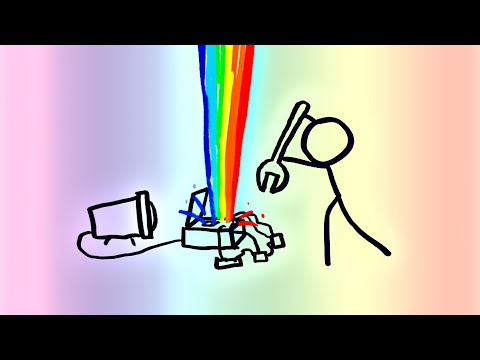
Computer Color is Broken
About this video
MinutePhysics explains that computers store brightness nonlinearly, so blurring and blending colors in raw RGB gives wrong, dark results. It shows why mixed colors, such as in gradients, look off.
Why it appears in the archive
HN cites it as the accessible go-to explanation of gamma and color blending errors in image programs.
AI-generated summary and labels from the source dataset; verify important details against the video. Source & credits.
From the Hacker News discussion
For those interested in this topic, I found minutephysics' treatment of this subject to be really pleasant and easy to grok. I had a talk I gave at work once or twice discussing color conversion and I would play a 90 second snippet from this (attributed appropriately) as it would very quickly crash course people on the reasoning behind an EOTF in a really cute and layman's terms kind of way: [VIDEO]
Read original comment ↗Good reminder about these persisting blending issues in the linear interpretation of RGB values, which was well explained to non-coders as well here in a quite popular MinutePhysics video: [VIDEO] As others commented the gamma scaling issues seem even more relevant. Just please, don't use RGB color space for generating gradients. In fact, it's ill fitted for most operations concerning the perception of colors as is. chroma.js : [LINK] D3 : [LINK] Interesting excursion: historically the default viewing gammas seem to have lowered, because broadcasting defaulted to dimly lit rooms, while today's ubiquitous displays are usually in brighter environments. [LINK]
Read original comment ↗If we're on the "watch this YouTube video if you work with colours" train, here's a great explanation of why gradients usually have a dark band in the middle, on the MinutePhysics channel: [VIDEO] In short: the RBG values in an image are not actually the intensity of light, but some nonlinear function of intensity. To do a weighted average of two colours you need to first undo that nonlinearity, then do the averaging, then reapply the function. Most software doesn't do that so the colours end up wrong. This also applies to resizing images.
Read original comment ↗I misunderstood what you mean. Please ignore. On a side note, by colorspace I mainly meant that we can just stick with one with ultra-wide gamut. There are indeed other reasons to have different color spaces. (Below is my original comment for transparency.) ------------- Gamma isn't really about CRT; or I should say, they're two different things. The fact CRT has a somewhat physical "gamma" (light intensity varies nonlinearly with the voltage) is likely just a coincidence with the gamma we're talking here. The reason gamma is used in sRGB is because human eyes are more sensitive to changes in darker area, i.e. if the light intensity changes linearly, it feels more "jumpy" in darker end (which causes perceptible bandings). This is especially an issue with lower color depth. To solve this, we invented gamma space to give darker end more bits/intensity intervals to smooth the perceptive brightness. >it's not needed to understand the difference between linear and non-linear colorspaces It absolutely should, since any gamma space would have problem with "averaging", as explained by the GP. Actually, it's so bad that almost all the image editing/representing tasks we have today are doing it wrong (resizing, blurring, mixing..). This topic has been discussed extensively on Internet, so I'm not going to go into detail too much. A good start point is [1][2]. [1] [VIDEO] [2] [LINK]
Read original comment ↗> The final piece of the puzzle is gamma correction. Applying gamma correction to these RGB coordinates produces a new set of values which we call (R', G', B') that are related to the original by a transfer function 6 ... The reason this is done is to account for how our eyes perceive brightness nonlinearly. We can distinguish changes in dark shades much more easily than light shades because a linear increase R in has much more of a relative effect when R is small. Switching to (R', G', B') therefore provides more resolution in dark regions of the image where the eye is more sensitive to variations in brightness. I'm surprised that this isn't mentioned much earlier and much more prominently. Instead, it's practically a footnote. Maybe I'm mistaken, but I would bet 90% of the awkwardness in the very first image is from averaging these values (R', G', B') for the gradients rather than switching to the true linear values, averaging, then converting back. This classic MinutePhysics video covers it well: [VIDEO]
Read original comment ↗I'd already seen most of this in a video (courtesy of Henry, aka MinutePhysics, [VIDEO] ), but it was nice to see a programmer-oriented explanation, nonetheless.
Read original comment ↗The same phenomenon also applies to color blending. In a modern context this phenomenon is especially visible in UI elements that blur the background: Up until recently many UIs did not get the blurring right, resulting in greyish dark spots between different colors. I think CSS blurring in most browsers still gets it wrong. [VIDEO] (Computer Color is Broken, MinutePhysics)
Read original comment ↗Mind you, that's a JPG you are editing, so in the 8 bit sRGB color space. That means manipulations can lead to errors and illusions due to the color space being non-linear and clipped[0]. The original data was likely linear and at a much higher precision. If the source was a 16 bit linear grayscale PNG for example you could be much more assured you're not seeing the effects of JPG compression and things that were actually measured. EDIT: Found better sources: 16-bit sRGB PNG: [LINK] 180 MiB original TIFF: [LINK] [0] [VIDEO]
Read original comment ↗