 HackerTube.runGood videos, with context.
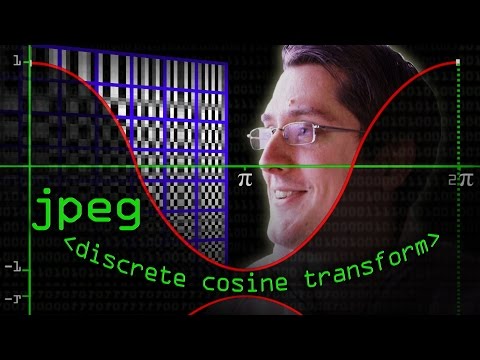
JPEG DCT, Discrete Cosine Transform (JPEG Pt2)- Computerphile
About this video
Mike Pound explains the discrete cosine transform and how it underpins JPEG compression. It is part two of Computerphile's JPEG series.
Why it appears in the archive
HN recommends it as an easy, clear intro to the DCT that finally made it click for several commenters.
AI-generated summary and labels from the source dataset; verify important details against the video. Source & credits.
From the Hacker News discussion
There's a series of videos showing the algorithm: [LINK] I finally understood DCT after watching [VIDEO] And someone created a "JPEG to PNG" tool that "finds the smoothest possible picture that encodes to the given JPEG file": [LINK] . I tried it with some very terribly compressed images, and the outputs were a lot better.
Read original comment ↗Honestly this presentation didn't work for me. I was amazed at the spectacle and a few things like perfect math world vs pixels and multi-sampler helped explain a few things but over all it was all over the place and didn't seem to get to many points or insights. It seems more like someone was asked to do a presentation, didn't have a solid idea of what to talk about, and so threw together a bunch of stuff until it filed their allotted time. I'm not trying to be discouraging. A great presentation can go a long way to making things understandable. For example this video explaining jpeg worked for me [VIDEO] My point is only that fancy graphics and animation are not enough. The presentation actually has to get it's points across. Maybe this one worked for everyone but me but it didn't really work for me. I don't really know what to suggest to make it better. Maybe it all made more sense live with more talking. There were a few "bugs" For example slide 22, bi-linear filtering, pixels can't be 2 colors so that slide made no sense. On the positive side I would love to know what software to use to make presentations easy. Yea, I get the author made his own but in general, making animation is hard work. Worse, once I've made them, even if they didn't end up being good for explaining I put so much work into making them that I can't justify starting over for something that works better. So, anything that would make that process not be so much work would be amazingly helpful.
Read original comment ↗Pretty cool! I would add Computerphile's Youtube Video as a watch after this: [VIDEO] . This is a part of their 4-video series on JPEG: [LINK]
Read original comment ↗The Computerphile channel has a nice series of videos on JPEG and one focusing on DCT [0]. It's a nice ans easy intro to the subject. [0]: [VIDEO]
Read original comment ↗There is a good video[1] from the Computerphile channel describing the concept in the context of JPEG. [1] [VIDEO]
Read original comment ↗It receives information about the spacial frequency content of the image. If you're unfamiliar, it's definitely worth looking into the specifics of how this works, as it's quite impressive! Here's a few relevant Wikipedia articles, and a Computerphile video: [LINK] [LINK] [VIDEO]
Read original comment ↗