 HackerTube.runGood videos, with context.
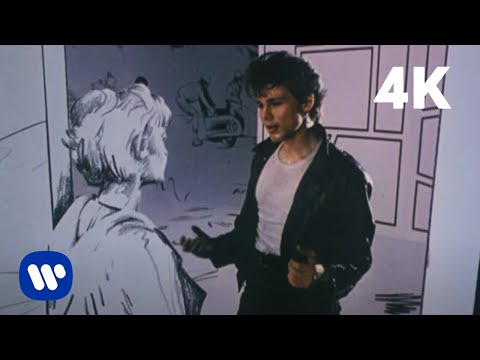
a-ha - Take On Me (Official Video) [4K]
About this video
The official remastered 4K video for a-ha's 1985 hit, famous for its rotoscoped pencil-sketch animation blending live action and comic-book drawings. It won six MTV Video Music Awards in 1986.
Why it appears in the archive
It is mostly a cultural touchstone on HN, cited for its sketch animation style or the song itself rather than recommended as something to learn from.
AI-generated summary and labels from the source dataset; verify important details against the video. Source & credits.
From the Hacker News discussion
Cool! It'd be awesome to see hatching that wasn't aligned to the particular planes, but rather the camera normal. That'd give it more of a "Take On Me" ( [VIDEO] ) look.
Read original comment ↗Could it be "Take on me" with the Norwegian band "A-ha" from 1984? [VIDEO] "Take on me" translated word for word will be "ta på meg" (Norwegian) or "ta på mig" (Swedish), meaning "touch me".
Read original comment ↗Tangentially, the article shows video playing through eInk, and its choppy yet paper-like effect really reminds me of the animation style of the 1980s music video "Take On Me" by the band a-ha: [VIDEO] I'm not sure if I'd be able to use one of these monitors without constantly thinking of that video.
Read original comment ↗Wow, Take On Me doesn't even hit that list. [VIDEO] Maybe it's because it's the 4k remaster, only out for 11 years? Nonetheless, it's got a couple of hundred views from this household - but tuning more into the acoustic one now which is a masterpiece - and was also featured in Deadpool 2 (sadly not prominently in the Disney Plus version). [LINK] Sorry a bit OT; it's kind of my lullaby for getting daughter to sleep, (trying to) sing along with Morten.
Read original comment ↗Great job! My ultimate (and totally unrealistic) wish list: Multitouch dragging and resizing and rotating and pushing and pulling images. Really cool if it works seamlessly with camera motion and rotation too. So you can correct the size and depth of misplaced pictures easily. (The dragging gesture currently does, hurrya! Now "just" make the resizing and twisting and pulling and pushing gestures work that way by following camera motion too! Yes it's tricky code but it'll be worth it and satisfying.) Bump the edges of dragging and resizing pictures up against the corners of the room. And when picture edges bump together they push each other around, with 2d physics (or use 3d physics with gravity oriented so the wall is a flat or graded floor). So you can't drag a picture into an orthogonal wall, or make pictures on the same wall overlap, and the wall corners and picture frames have more physicality, so you can easily align multiple images along a corner. Scroll all the pictures on the wall at once by dragging the background like a virtual desktop that clips to the corners of the room. Full depth 3d frames, that you can look around and see the back of. Hinged frames that you can open this way or that to reveal a hidden safe (that you can open by twisting the dial to see what's inside) or window (that you can see through in parallax to another outdoor photo (or 3d scene with dancing characters) you've placed outside in the distance, like the a-ha "Take On Me" music video door AR
Read original comment ↗