 HackerTube.runGood videos, with context.
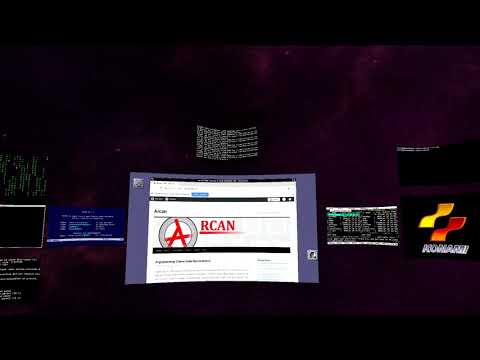
Safespaces: An open source 3D / Virtual Reality Desktop
About this video
A one-minute demo of Safespaces, an open source 3D and VR desktop built on the Arcan project.
Why it appears in the archive
HN mentions it as a cool VR desktop idea from the Arcan author's demo channel, even if somewhat a novelty.
AI-generated summary and labels from the source dataset; verify important details against the video. Source & credits.
From the Hacker News discussion
Very interesting project. The presentation[0][1] (though from 2015) gives an interesting overview of the two projects. The youtube channel[2] has some exciting [3] videos. And I really like his argument for Server Side Decorations[4] Another project to keep an eye out for is Simula[5] [0] [LINK] [1] [LINK] [2] [LINK] [3] [VIDEO] [4] [LINK] [5] [LINK]
Read original comment ↗I agree that the looking glass style 3D is fun and gimicky and hard to see added benefit. At the same time, speaking from personal experience - 3D in VR can give a much stronger sense of overview of many datasources etc. while at the same time can reduce semantic noise. I get quite a few productive hours out of a successor to this: [VIDEO]
Read original comment ↗> Then I found out they went with an app model and the device could only display a single MacOS window. There was this program called Immersed for Quest and some other VR headsets (apparently Apple's one too?) that ages ago was quite brilliant: I could connect my laptop or PC and have as many virtual desktops in addition to the real ones displayed around me. Even on my Quest 2, until the strain set in, it was cool to just kinda tune out the room around me and be in a black void surrounded by just the screens of whatever I'm working on. Sadly, in one update they randomly removed it as a "legacy feature nobody uses", which ruined the program for me, and Virtual Desktop for the Quest also has limited screens you can display, so I can't even do all 4 of my physical ones, nor virtual ones - despite it having worked previously in the other program. For a little bit, it was a really cool mode of working, but sadly I only got glimpses of it and would need more capable hardware like AVP for that in the first place (Quest 2 very much had its limitations). Also, this was a pretty cool idea, even if a novelty: [VIDEO]
Read original comment ↗